New features released under ACE 33
October 2026
ACE 33 keeps getting better. Feature releases add functionality to the ACE suite outside of the main release schedule.
Updates to ACE Survey G2
New question types and more flexible surveys in ACE Survey G2
ACE Survey G2, launched earlier this year, receives a major update in an October 2026 feature release.
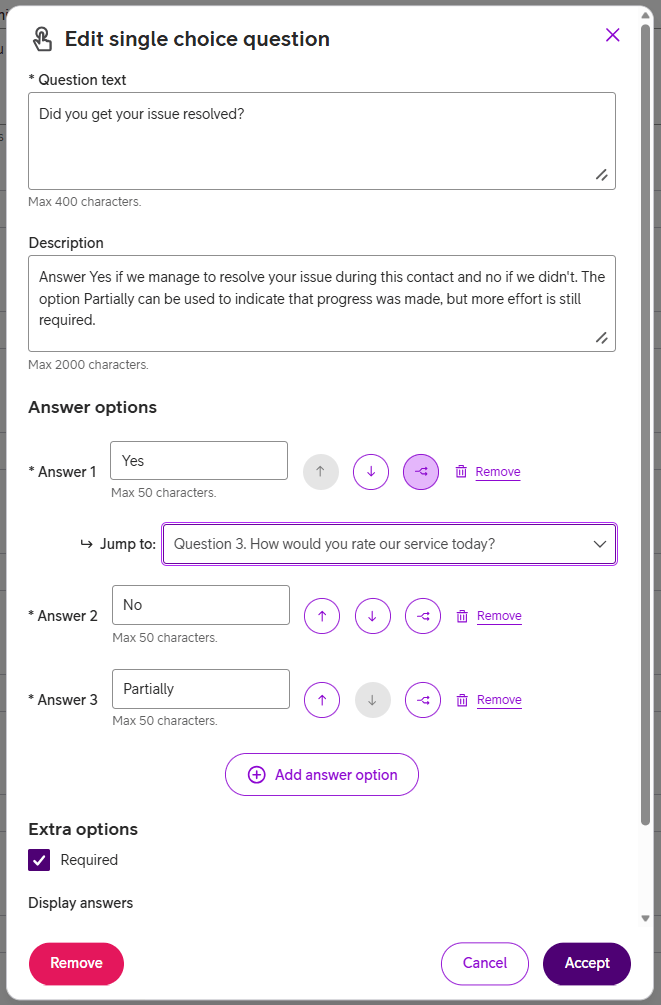
New question types and conditional navigation give survey administrators more flexibility to tailor surveys and collect feedback your organization can act on.
The new multiple-choice questions let respondents select one or more answers from a list of predefined options. Free-text questions let them answer in their own words, helping you gather more nuanced feedback.
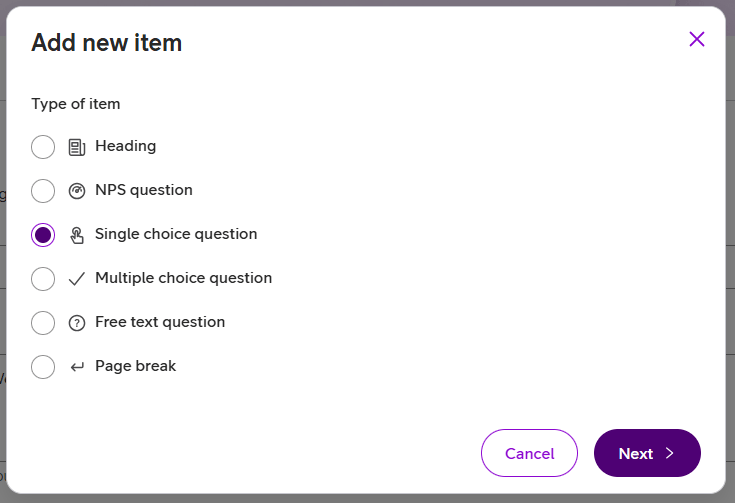
Conditional navigation lets survey administrators show or skip questions based on a respondent’s answer. This makes it possible to ask relevant follow-up questions and skip those that don’t apply, keeping surveys focused.
Updates to ACE Conversational Widget
Usability improvements and better regional eID coverage
ACE Conversational widget is our multi-functional interface for web-based communication, usable for chat, video calls, screen sharing and more. It is regularly updated with new and improved features.
In the October 2026 feature release the following updates are made available:
- Full screen for video conversations. To let the end user make full use of their screen during video calls, there is now a button to switch to full screen.
- More flexibility on when to authenticate using eID. The user can authenticate at different points in the chat journey; before starting a chat, while waiting in queue, or anytime during a conversation with an agent.
- For Danish market, it is possible for end users to authenticate with MitID to receive trusted personalized service

Note: a widget update is required to enable the new functionality.
Updates to ACE Statistics
”Today’s statistics”
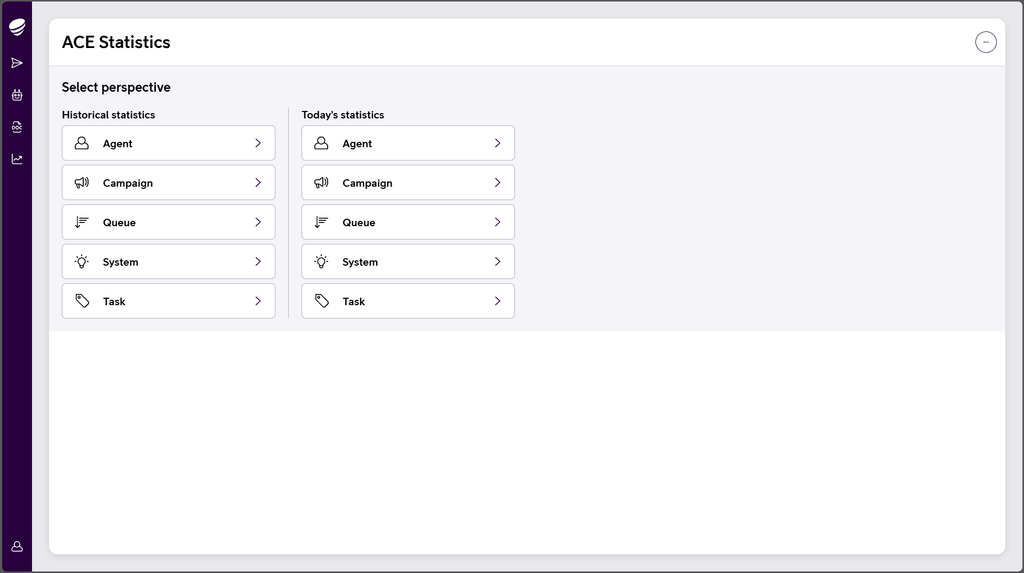
Now we launch updated functionality in our web application ACE Statistics. The new feature allows you to view and follow up on the very latest daily data in your ACE powered contact center.
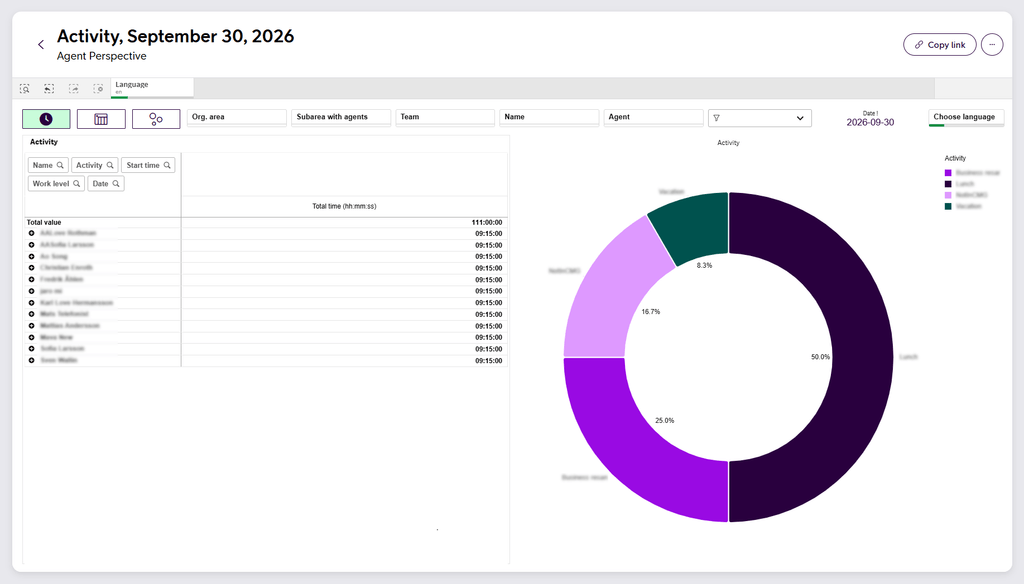
In the ACE Statistics application, simply select any perspective under Today’s statistics to view and analyze the contacts and activities, specifically for the current day. Data is updated frequently to provide an always updated view of current load and activity. You will find the same views and powerful features as for historical perspectives, only without the date filtering functionality.
This feature allows organizations to make data-driven decisions quickly and efficiently based on up-to-date insights.
Updates to ACE Virtual Agent
Bot to human handover in chat
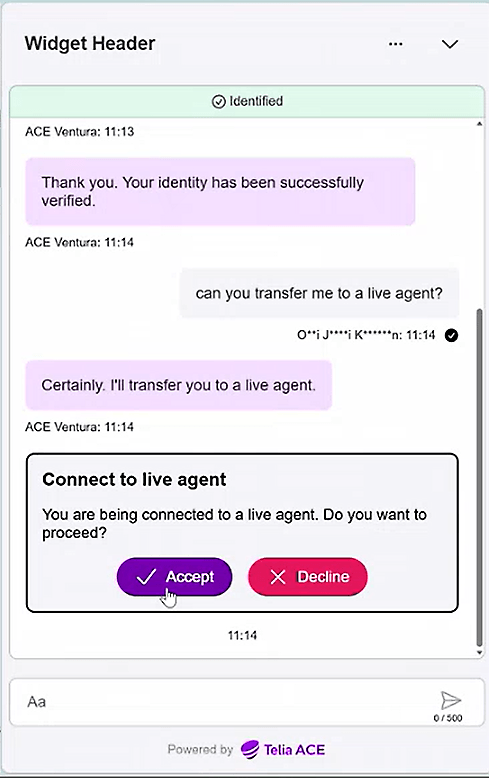
A feature update to ACE Conversational Hub orchestration layer, enables ACE Virtual Agent, typically provisioned in ACE Conversational Widget, to seamlessly hand over a chat conversation to a human agent.
When the bot, powered by market leading Google AI, reaches a point in the conversation where human assistance is required or requested, it suggests a handover to a human agent. Given that the user accepts to be transferred, the conversation is placed in a chat queue where the human agent receives it and continues in ACE Interact as usual. If eID authentication is done by the bot, this follows along in the handover and is clearly indicated to the human agent.
This opens up for highly efficient flows with a smooth customer experience, getting both quick, flexible and skilled help.
Feature releases do not require upgrading of central ACE nodes. Please refer to release notes for version compatibility